Adding a Video to the Vacancy
Vacancy Workbench > Notes
To add further supporting information relating to the Vacancy, such as a YouTube recording:
- Locate the required Video.
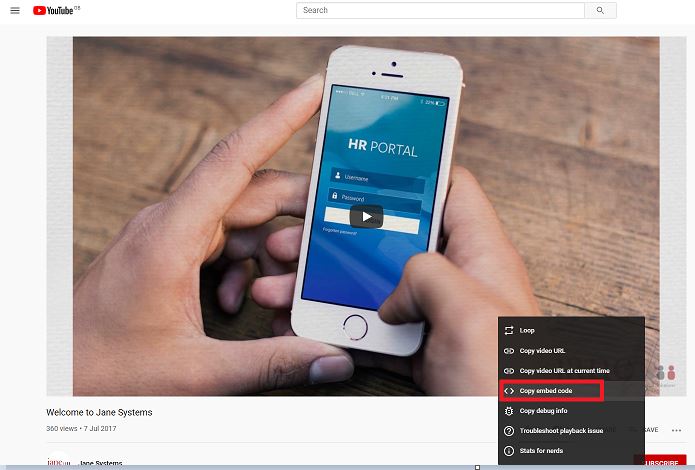
- Right click on the Video and select Copy embed code.
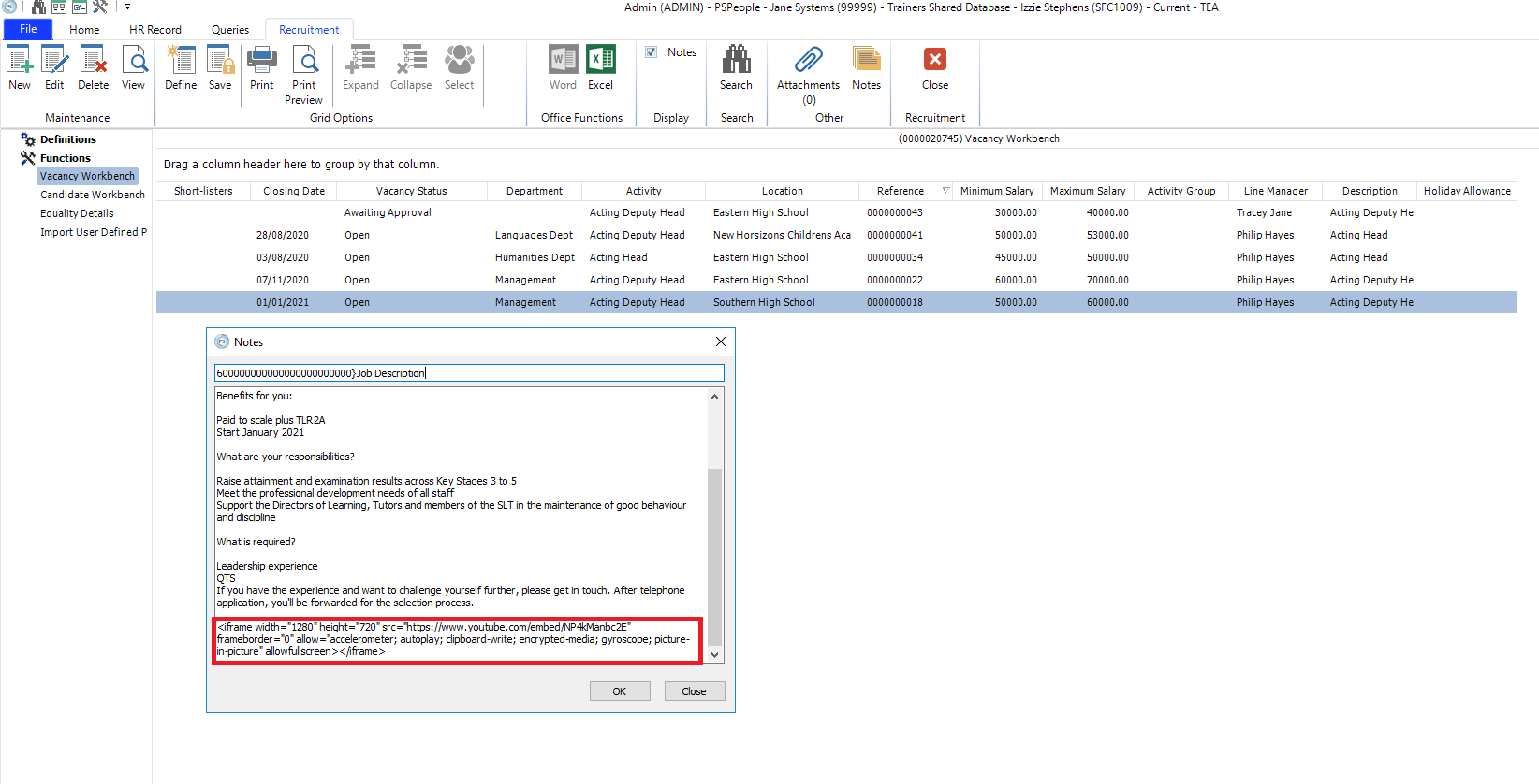
3. Paste the copied code into the Notes tool located in the Vacancy Workbench toolbar.
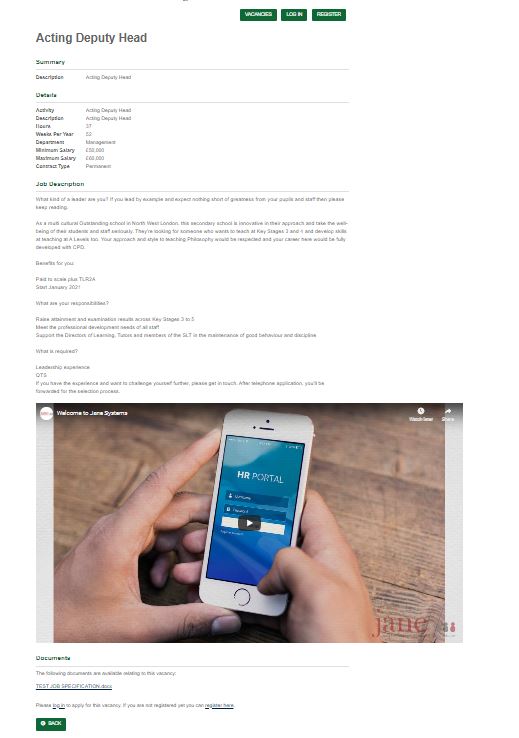
4. This appears immediately on the Job Advert.